dash-reader · v0.1.0

Dash Reader.

Read anything on the web 3× faster — one word at a time, at a fixed point, so your eyes never move.

Chrome extension MV3 · TypeScript Alt+R to start Local-first
github.com/shafiqimtiaz/dash-reader
01
The idea

Your eyes never move.

RSVP — Rapid Serial Visual Presentation. Select text or start on the whole article, and Dash Reader flashes one word at a time at a fixed point on screen. No scanning, no saccades, no re-reading. Just the words, at the pace you set.

default 300 wpm range 100–1000 chunks 1–8 words faster than scrolling
the idea
02
Start

Two ways in

01

Read the selection

Select any text on the page and press Alt+R. The overlay opens paused at the first word — press Space when you're ready.

⌘ ready when you are
02

Read the article

Alt+R with no selection — or the toolbar icon — highlights the first word of every paragraph. Click one and reading starts right there.

⇧ start anywhere
Alt+R — toggle reader toolbar icon — same click a marker — start there re-trigger — replaces the session
start
03
The engine

Timing that feels like thought

01

Smart punctuation pauses

Commas and colons rest longer, sentence enders ×3, paragraph breaks hold the longest — the words already on screen, not a flashing marker.

02

Multi-word chunks

A chunk stays up as long as its words would take one at a time — so wpm means the same thing at any chunk size.

03

Long tokens, handled

URLs, numbers and long words stay atomic; oversized tokens auto-shrink past 20 characters.

04

Drift-free playback

requestAnimationFrame accumulation, not setTimeout chains. A 1000-word article holds its rhythm to the millisecond.

LIVE Speed changes while you read — ↑/↓ ±25 wpm, delay recomputed on the fly.
engine
04
Structure

One extension, three contexts

Trigger

Alt+R / toolbar

Select text, or start on the whole article — paused at the first word.

Content script

Overlay + engine

Shadow DOM reader, tokenizer, timing — the page's CSS can't touch it.

Service worker

Aloud · stats

Speech runs off-screen on system voices — close the overlay, keep reading.

Options page

chrome.storage.sync

Settings, live preview, and 90 days of stats — no accounts, no network.

WHY A WORKER? Aloud lives in the service worker on offline system voices, so closing the overlay never stops the reading.
structure
05
Aloud

Read with your ears, in step.

Aloud is a mode, not a transport control: it arms the voice without making a sound. Play drives everything — and the voice becomes the clock.

Measured, not trusted
Every engine event — word, sentence, utterance — snaps the display back onto the spoken word. A voice that ignores the requested rate is timed for real, not assumed.
Survives the overlay
Speech runs in the service worker on offline system voices — close the overlay and the reading continues.
Always a fallback
If speech dies early, the wpm ticker takes back over instead of freezing. No voice installed? The whole section stays hidden.
aloud
06
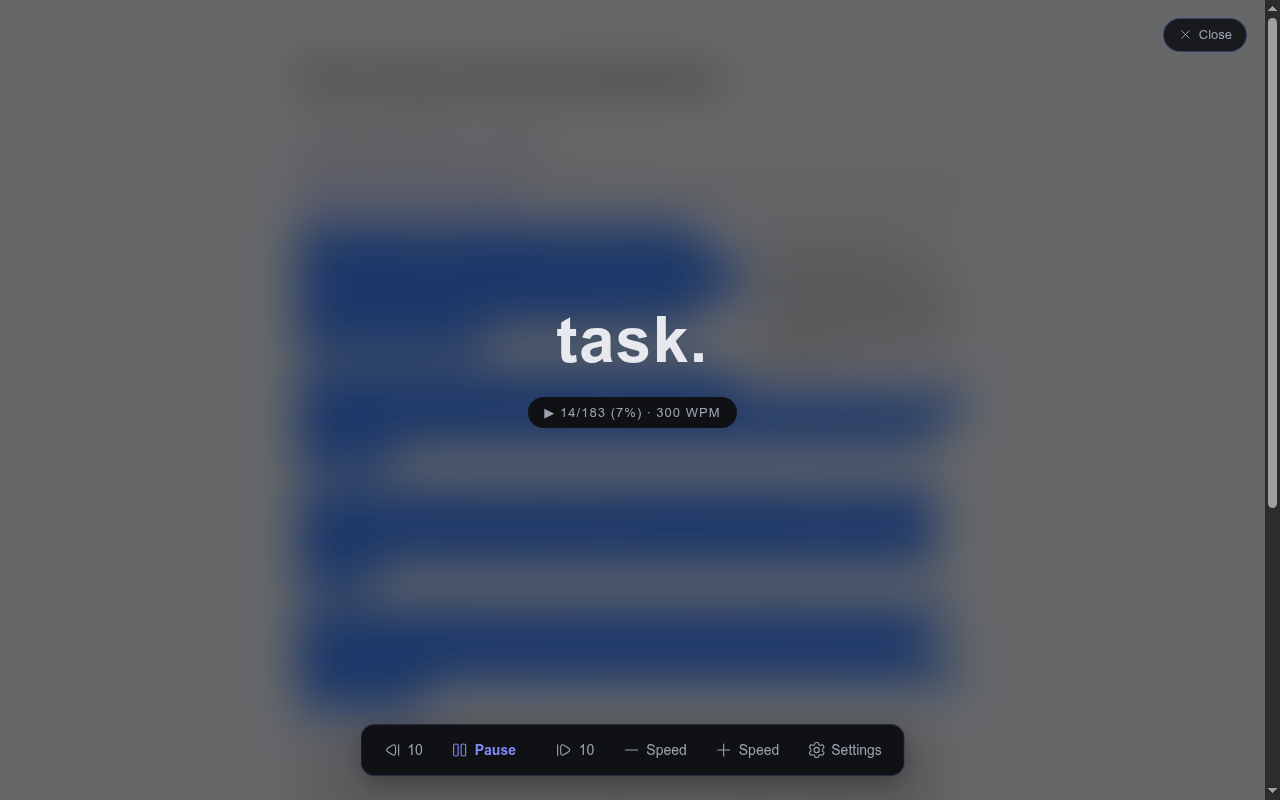
any article, dimmed to focus
Dash Reader active reader overlay showing a word fixed at the focus point
The overlay

Zero style bleed

  • Rendered in a Shadow DOM with all: initial — the page's CSS can't touch it, and it can't touch the page.
  • Dark / light / sepia themes, three font sizes, four fonts — the choice applies everywhere, reader to options page.
  • Keyboard-first: Space pause · ←/→ step · ↑/↓ speed · [ / ] skip 10 · Esc close.
  • Control bar auto-hides while reading; Hugeicons throughout.
dark light sepia
overlay
07
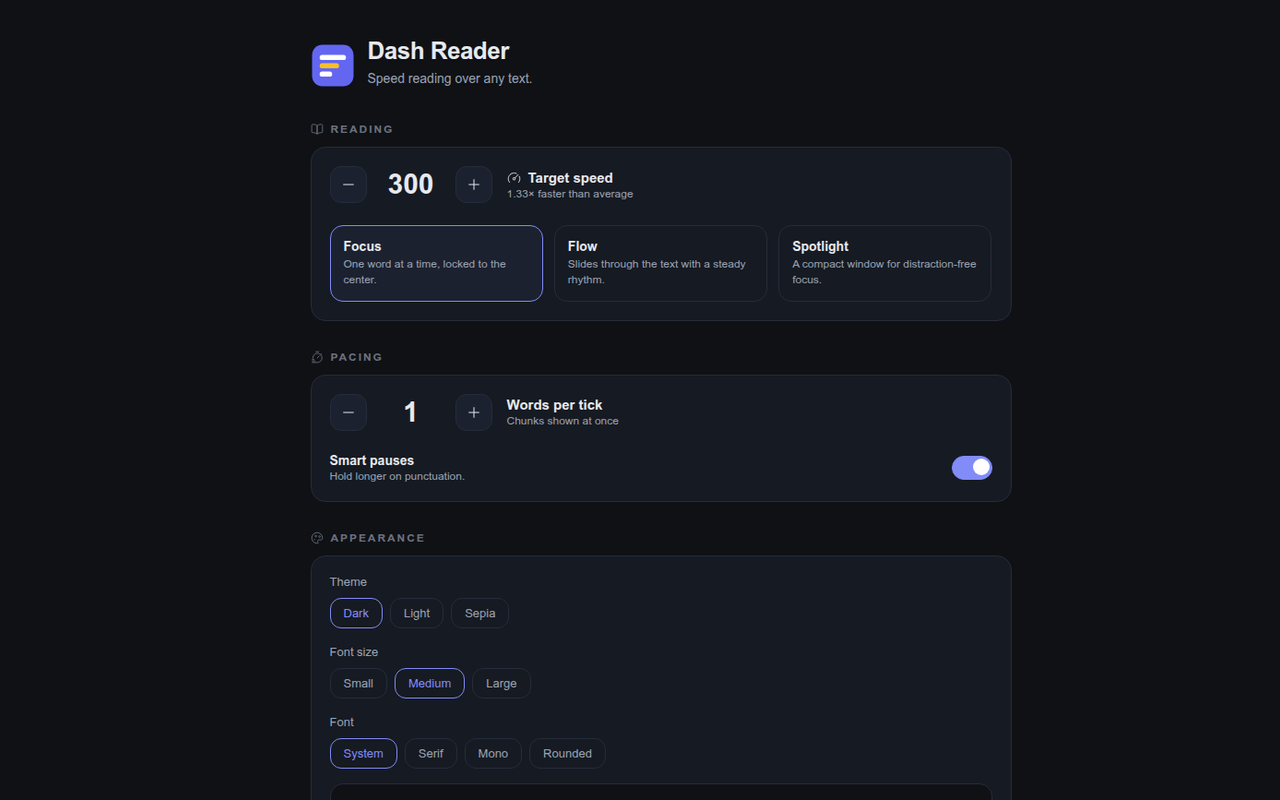
chrome://extensions → options
Dash Reader options page with settings and stats dashboard
Stats & settings

Proof, not vibes

words read
rolled up per day
avg wpm
your real pace
time saved
vs. a 240 wpm baseline
90 days
of history kept
  • Every control saves to chrome.storage.sync — and a storage.onChanged listener applies it to every reader already open. No reload needed.
  • Live preview of theme, size and font right on the options page.
stats
08

Install

One click away

Live on the Chrome Web Store. Add it, pin it, and start reading 3× faster.

+ Add to Chrome
LOCAL-FIRST No accounts. No network. No telemetry. Everything runs in your browser.
install
09
Dash Reader logo

Read faster.

One word at a time · fixed point · your pace · your voice

TypeScript Vite Manifest V3 Shadow DOM chrome.tts Vitest Hugeicons
./end
10
01 / 10